
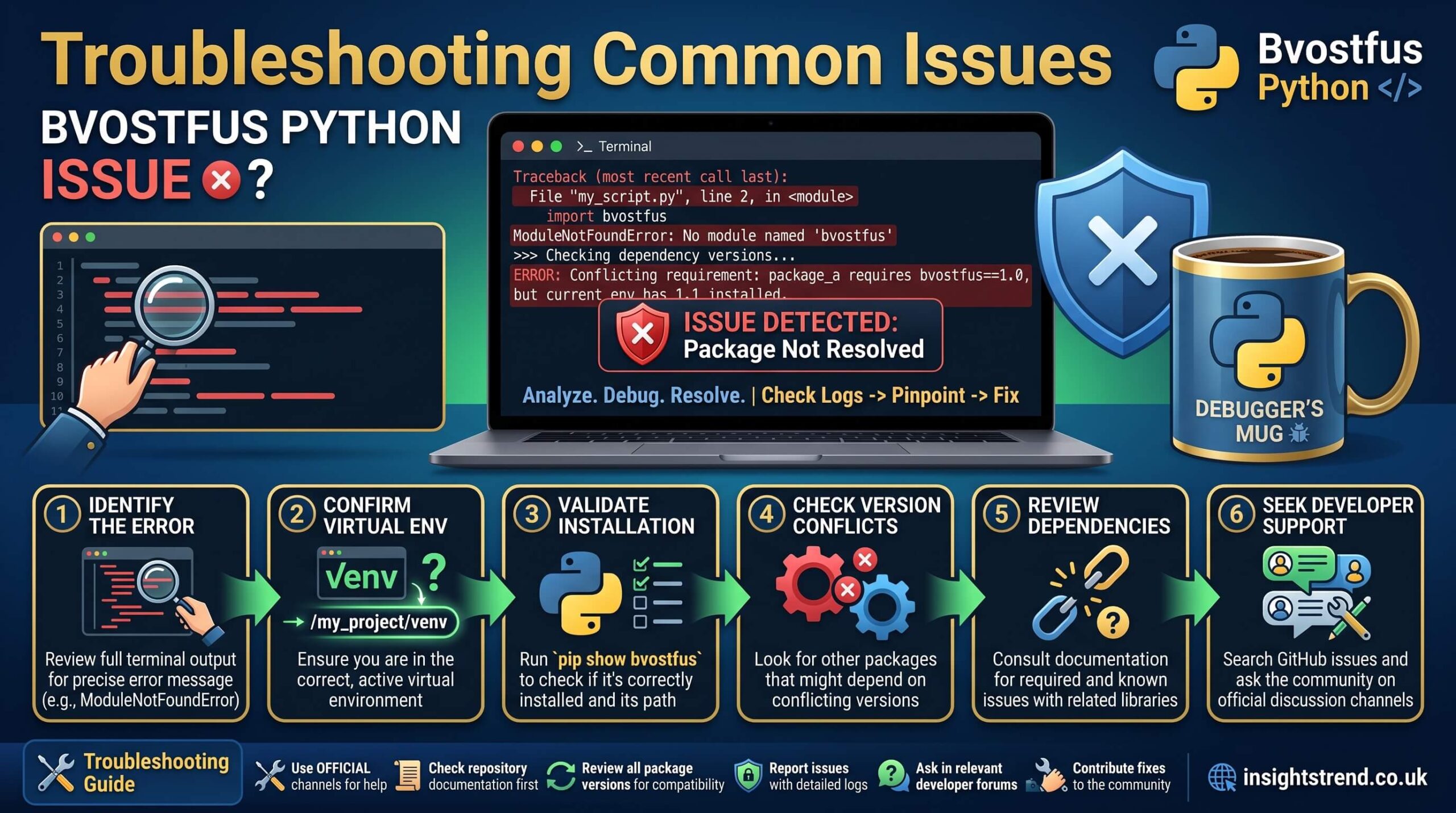
If you have landed here searching for a bvostfus python issue, you are probably staring at an error message, a failed pip command, or a confusing blog post that promises a quick fix. The reality is simpler and more important than most of those posts admit. There is no legitimate, installable Python package called bvostfus on the Python Package Index, no official GitHub repository, and no verified documentation from the Python community. Attempts to run pip install bvostfus typically return a “no matching distribution found” error because the package does not exist.
Understanding this fact is the first step toward resolving the frustration that brings people to the keyword bvostfus python issue in the first place. Many developers encounter the term through SEO-driven articles that describe installation steps, virtual-environment fixes, and dependency conflicts as if the software were real. Those articles often recycle the same generic advice that applies to any missing module. The actual problem is usually a combination of environment misconfiguration, outdated tools, or following untrusted instructions.
Why the Bvostfus Python Issue Appears in Searches
The phrase bvostfus python issue surfaces when someone tries to import a non-existent module, follows a tutorial that lists fake commands, or sees an error that looks similar to common Python failures. Real Python problems such as ModuleNotFoundError, ImportError, or path mismatches produce nearly identical symptoms. Because search engines reward pages that match exact keyword strings, a wave of low-quality content has filled the results with made-up guides. This creates a feedback loop: more people search the term, more pages appear, and the cycle continues.
In practice, the closest real-world equivalent is any situation in which a package cannot be located. The interpreter may be pointing at the wrong environment, the virtual environment may be inactive, or the package was never installed in the first place. Treating the bvostfus python issue as a signal rather than a specific product helps you focus on proven troubleshooting steps that work for legitimate libraries.

Confirming the Package Does Not Exist
Before investing time in complex fixes, verify the claim yourself. Open a terminal and run a simple search against the official index. The command pip index versions bvostfus or a direct visit to pypi.org will show zero results. Cross-check GitHub, the Python documentation, and community forums such as Stack Overflow. The absence of any authoritative source is itself the diagnosis. Reputable sources like the official Python packaging user guide emphasize installing only packages that appear on the Python Package Index and that have clear maintainers and licenses.
Once you accept that no bvostfus module is available, you can stop chasing phantom installation errors and turn attention to the underlying environment that produced the search in the first place.
Typical Environment Problems That Mimic a Bvostfus Python Issue
Most developers who type the keyword into a search engine are dealing with one of a handful of everyday configuration problems. The active Python interpreter may differ from the one used during installation. A virtual environment created with venv or virtualenv may not be activated, so the shell still points at the system-wide site-packages. Multiple Python versions installed side-by-side can cause the wrong pip binary to run. On Windows the py launcher sometimes selects a different interpreter than the plain python command. Any of these situations produces an error that looks exactly like a missing module.
A clean diagnostic approach starts with printing the current interpreter path and the list of directories Python searches for modules. Running python -c “import sys; print(sys.executable); print(‘\n’.join(sys.path))” immediately reveals whether you are inside the expected environment. If the paths look wrong, recreate the virtual environment from scratch rather than trying to repair a corrupted one. Delete the old folder, create a new one with python -m venv .venv, activate it, upgrade pip, and then install only the packages your project actually needs from a requirements file.
Dependency conflicts produce a related set of symptoms. When two packages demand incompatible versions of a shared library, pip may succeed in installing one while leaving the other broken. The command pip check surfaces these inconsistencies. Rebuilding the environment with pinned versions recorded in a lock file restores consistency more reliably than successive upgrades.

Safe Practices That Prevent Future Confusion
The best protection against both real and fabricated package problems is disciplined environment hygiene. Always work inside a project-specific virtual environment. Prefer the form python -m pip install package-name so that the same interpreter both installs and runs the code. Keep a requirements.txt or a more modern lock file under version control so every collaborator and every deployment starts from the same known state. Before adding any new dependency, confirm its presence on PyPI and review its recent release history and open issues.
When an unfamiliar name appears in a tutorial or a README, treat it as untrusted until proven otherwise. The Python Packaging Authority and the official documentation repeatedly stress the value of verifying package authenticity. Following that advice eliminates the entire class of problems that currently hide behind the search term bvostfus python issue.
Frequently Asked Questions
What exactly is the bvostfus python issue?
It is a search term that appears when people encounter errors related to a non-existent package. No real module by that name is available on PyPI or elsewhere.
Can I install bvostfus with pip?
No. The command fails because the package does not exist. Any installation instructions claiming otherwise are incorrect.
Why do so many websites describe fixing a bvostfus python issue?
Search engines reward exact keyword matches, so low-quality content farms generate pages that reuse generic troubleshooting advice under this invented name.
What should I do if I see ModuleNotFoundError for a similar name?
Confirm the package exists on PyPI, activate the correct virtual environment, and reinstall with the matching interpreter using python -m pip install.
Is it safe to run commands from blogs that mention bvostfus?
No. Because the package is fictional, any accompanying scripts or additional packages should be treated as potentially untrustworthy. Stick to official sources.
Moving Forward After Encountering the Term
Once the non-existence of the package is clear, the practical next step is to identify the real library or tool your project actually requires. If the original error message mentioned a different module name, search for that name instead. If you were following a blog post that listed bvostfus among other dependencies, discard the post and locate official documentation for the genuine packages. In most cases the underlying task—data processing, web scraping, numerical work, or whatever the article claimed—can be accomplished with well-known, actively maintained libraries that have clear installation paths and community support.
Keeping Python itself up to date also reduces friction. Newer interpreters ship with improved packaging tools and better error messages. Checking the version with python –version and comparing it against the requirements of your chosen libraries prevents many compatibility surprises.
